Google Ads for Local Business: Get More Walk-Ins and Calls
🎥 From the video: "The Google Ads Strategy That Gets Retail Stores More Walk-Ins and Phone Calls (Full Campaign Setup)" — watch it on YouTube or follow along below.
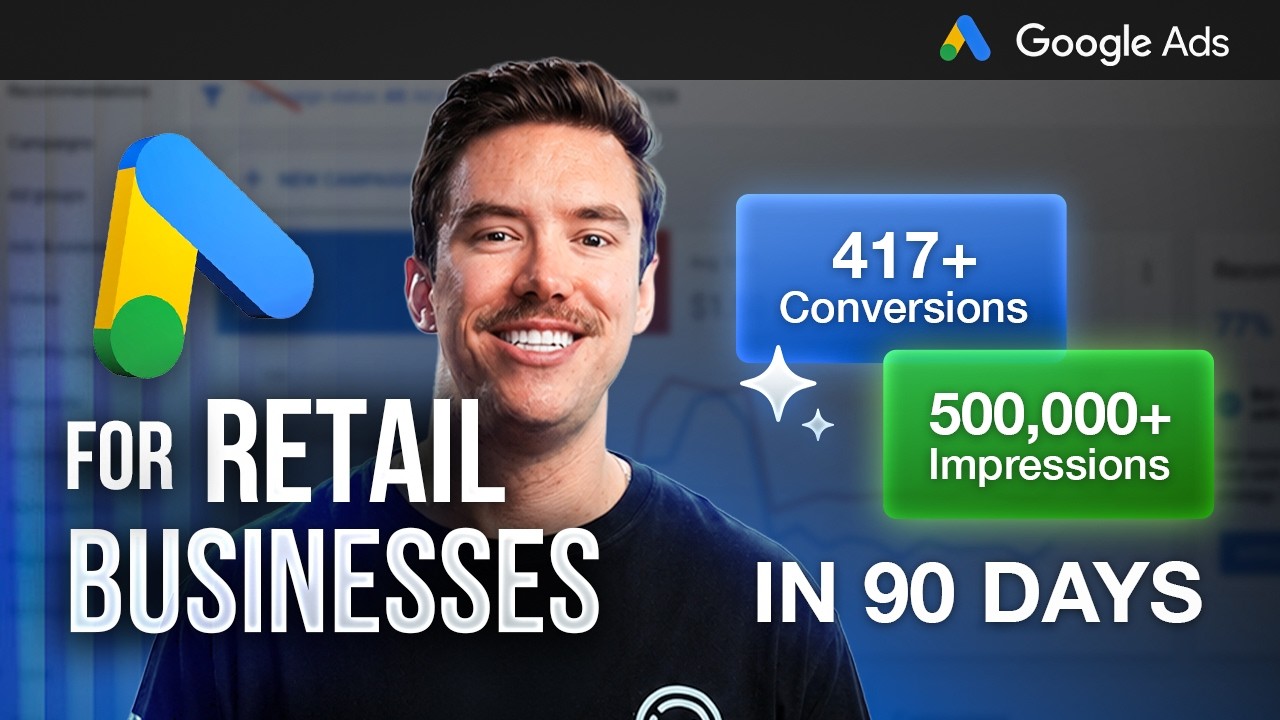
If you run a brick-and-mortar business — a shoe store, a mattress store, a coffee shop, whatever — and you want Google Ads for local business to actually put people in your building or on the phone, this is the setup. In the last 90 days I generated 417 blended conversions between inbound phone calls and Google's native "get directions" button for a local mattress store client. Not leads that might turn into something. Actual people calling and actual people driving to the store.
Here's exactly how I did it, and how you can do it for your own business.
Fix Your Conversion Tracking First
Before you touch campaign settings, deal with this: I've audited accounts that have spent hundreds of thousands of dollars, and conversion tracking is almost never set up right. That's the actual problem, not the campaign structure.
Every optimization decision you make inside Google Ads should be in service of your real cost per conversion. If you don't know that number — accurately — you're optimizing blind. You'll never crack the account.
The good news: for get-directions and call-from-ads, both conversion actions are native to Google Ads. Setup takes a few minutes.
Get Directions
Link your Google Business Profile to your Google Ads account: Tools → Data Manager → Connected Products, then connect your Google Business Profile. Once that's linked, Google automatically creates a handful of native conversion actions on their side, "get directions" being the one you want.
Call From Ads
Go to Conversions → Summary → Create Conversion Action, uncheck "conversions from a website," and select "phone call lead" under conversions for phone calls. Then choose Call from ads.
One setting matters more than the rest: set the minimum call length to 60 seconds. You don't want a wrong number or an accidental click counting as a conversion — you want it to only count when someone was actually on the phone long enough to be a real inquiry.
Search vs. Performance Max — Pick the Right Campaign
For most local businesses in 2026, there are really only two campaign types worth running: Search and Performance Max. For foot traffic and calls specifically, you want Performance Max — it's the one that gets you into the map pack and puts your Google Business Profile in front of people nearby who can actually walk in or pick up the phone.
When you create the campaign, choose the objective "Local store visits and promotions." That funnels you straight into Performance Max — there's no other option to choose from once you pick that objective, because it's built for exactly this.
Once you're in campaign setup, Google will auto-populate the conversion goals you just created. Confirm it's pulling "get directions" and "call from ads" and remove anything else that doesn't belong.
One thing to watch during setup: Google will try to offer "Create campaign with AI." Uncheck it. I could spend hours explaining why you don't want to hand Google full control over your bidding, keywords, and headlines, but for now — just don't check that box.
Get Your Targeting Radius Right
This is the part most people get wrong on local campaigns. Don't target your whole city the way you might for a service business. Go to Locations → Advanced Search → Radius, enter your physical address, and set it to around 15 miles. Here's why: that radius roughly matches how your Google Business Profile already targets organically. If you set your ad radius to 30 miles, your Business Profile listing stops following the ad — you end up with a plain search ad instead of the map pack placement that actually drives walk-ins. And honestly, nobody's driving 30 miles to a retail store when they've got one closer. You're just fighting harder competition for traffic that was never going to convert anyway.
Set your ad schedule to your actual business hours (you're not paying for clicks when you're closed), and turn off TV screens under devices — it's the one placement where nobody can take an action like calling or clicking directions. You want search-based intent, not passive viewing.
Build Asset Groups the Right Way (STAGS)
I run every Performance Max account on a method I call STAGS — Single Theme Asset Groups. If you offer multiple distinct services with real search volume behind each one (an auto shop doing oil changes, tire rotations, and AC checks, for example), each service gets its own asset group with its own headlines, descriptions, and keywords. Someone searching "oil change near me" should never see an ad about AC checks.
For a single-service business like a coffee shop, one catch-all asset group covering "coffee near me" type searches is fine — no need to overcomplicate it.
Inside each asset group, write headlines across a few different angles so Google has real variety to test and combine:
- Local: "Coffee shop near you," "located downtown"
- Expertise: "Rated 5 stars," "10 years in business"
- Convenience: "5 minutes from your office," "drive-thru available"
- Offer: punch cards, discounts, fresh daily specials
- Emotional: "start your day off right"
Google shows two headlines at a time, so you want a mix that complements itself no matter which two get paired. Add real images — your storefront, your product, your team — these consistently build more trust and take up more digital real estate in the ad for no extra cost. Be careful with video: adding YouTube videos can start pulling your Performance Max budget toward YouTube placements instead of the search and maps traffic you actually want.
For keywords (called "search themes" in Performance Max), don't dump in every variation you can think of. Performance Max keywords behave more broadly than exact search terms — "coffee near me" is going to catch most of the repetitive variations on its own. A handful of well-chosen phrases beats a huge padded list every time.
Set a Budget That Matches Reality
Google's suggested daily budget is frequently nonsense — I've seen it suggest 10 cents a day and I've seen it suggest a thousand dollars a day on the same type of account. Ignore the suggestion and work backward from what you can actually spend monthly, divided by 30.
And be realistic about what a given budget buys you. If your industry runs a $7 cost per click and you're spending $1,000 a month — that's about $33 a day — you're only ever going to get three or four clicks a day, no matter how many keywords you add. Adding more keywords doesn't fix a budget problem. Know your numbers before you decide the campaign "isn't working."
What This Actually Gets You
Set up correctly — real conversion tracking, Performance Max instead of Search, a tight local radius that keeps your Business Profile in sync with your ads, and asset groups built around STAGS — this is the exact setup that drove 417 blended phone calls and directions requests in 90 days for a local retail client. Not a projection. A real number from a real account.
If you've already got Google Ads running for your local business and it's not producing numbers like that, something in this chain is broken — usually the conversion tracking, sometimes the targeting radius, sometimes the campaign type itself.
I offer a free live Google Ads audit — I'll get on a call, look at your actual account, and tell you exactly what I'd fix and why. No pitch required to get the audit. If you'd rather just hand the whole thing off to someone who does this daily, get in touch here and we'll talk about running it for you.


