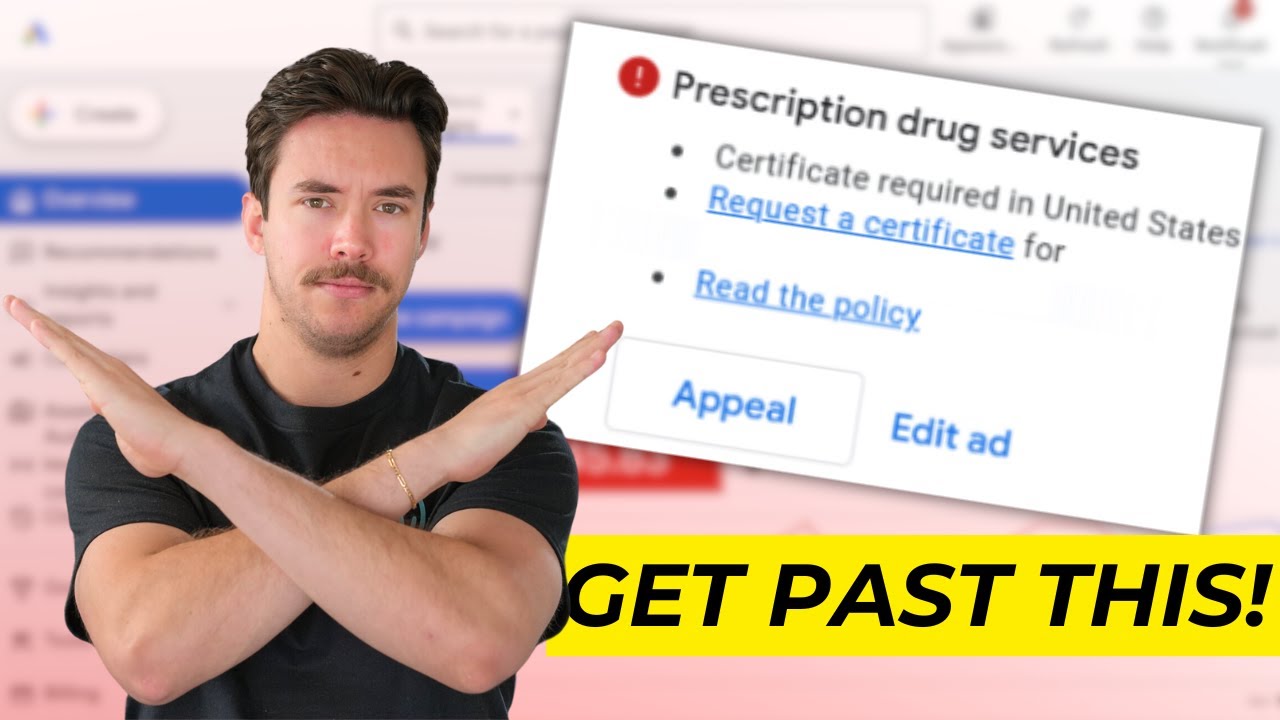
How to Get Past The "Prescription Drug Services" Disapproval in Google Ads
How to Get Past the “Prescription Drug Services” Disapproval in Google Ads
Healthcare and medical advertisers can run into some of the most restrictive policies in Google Ads. One common issue is a disapproval related to “Prescription Drug Services.”
This can be confusing, especially when a business isn't directly selling prescription medications online but Google identifies content on the website, advertisements, keywords, or services that may fall within its healthcare and medicines policies.
The key is understanding why Google is flagging the account and then taking the appropriate compliance path.
Watch the Full Video Breakdown
Watch the full video to learn more about dealing with the “Prescription Drug Services” disapproval in Google Ads:
Why Google Ads Restricts Prescription Drug Services
Google restricts advertising related to the online prescribing, dispensing, and sale of prescription drugs.
This can apply to businesses such as:
Online pharmacies
Telemedicine providers
Healthcare platforms
Businesses offering prescription-related services
Other businesses whose websites or advertisements appear to facilitate prescription drug services
Google evaluates more than just the text of an individual advertisement. Its policy explains that it can consider the content of the ads, website, app, and the products or services being offered.
That means changing one headline may not necessarily resolve a policy issue if the destination or overall business model still falls within a restricted category.
What Can Trigger the Disapproval?
Google can evaluate multiple elements when determining whether an advertiser is promoting prescription drug services.
Potential factors include:
Ad copy
Keywords
Landing page content
Website content
Product or service descriptions
Calls to action
The services offered by the business
Geographic targeting
This is why healthcare advertisers should review the entire customer journey rather than focusing exclusively on the disapproved advertisement.
Certification May Be Required
For businesses that genuinely provide prescription drug services, simply editing the advertisement may not be enough.
Google requires advertisers to be certified in order to advertise prescription drug services, with requirements varying by location and business category. Google also identifies specific certification categories, such as online pharmacies and telemedicine.
Depending on the business and location, third-party accreditation may also be required.
For example, certain healthcare certifications can involve organizations such as LegitScript, NABP, or G2.
The correct certification depends on the actual business model, so advertisers should not apply under a category that doesn't accurately describe their services.
Location Matters
Healthcare advertising restrictions aren't identical everywhere.
Google maintains country-specific requirements for prescription drug services. The list of locations where certain prescription-related services may be promoted includes countries such as the United States and the Philippines, but additional certification and restrictions still apply.
For example, Google currently states that certified telemedicine providers in the Philippines may promote prescription drug services under certain conditions, but they cannot promote prescription drugs in their advertisements or landing pages.
This makes geographic targeting an important part of troubleshooting healthcare-related disapprovals.
Review Your Landing Page
One of the most important steps is reviewing the landing page connected to the advertisement.
Look for content that could make the page appear to facilitate:
Online prescription services
Prescription drug sales
Medication ordering
Prescription fulfillment
Online dispensing
Other restricted healthcare services
Google specifically notes that it takes a cautious approach when landing pages link or refer to content that appears to facilitate the online prescription, dispensing, or sale of medicines.
The landing page should accurately represent the service being advertised and comply with the applicable healthcare policies.
Review Your Keywords
Keywords can also contribute to healthcare-related disapprovals.
Google's policy restricts prescription drug terms in keywords in many situations, although certified advertisers can bid on prescription drug terms in certain approved locations.
Before simply adding or removing keywords, determine whether the business is actually eligible to advertise for those terms.
If the advertiser isn't certified for the applicable category, using prescription-related keywords may create additional policy problems.
Don't Try to Hide the Service From Google
When dealing with a policy disapproval, the goal shouldn't be to disguise what the business actually does.
Google evaluates multiple elements of an advertiser's presence, not just the visible headline of an ad.
Instead, make sure the:
Business model
Website
Advertisement
Keywords
Landing page
Geographic targeting
Certification
are consistent with the applicable policy.
If the business qualifies for advertising, follow Google's certification process rather than attempting to circumvent the restriction.
What to Do If the Business Qualifies
If the business legitimately qualifies to advertise prescription drug services, the appropriate path is generally to:
Identify the correct healthcare certification category.
Review the location-specific requirements.
Obtain any required third-party accreditation.
Apply for the applicable Google Ads healthcare certification.
Make sure the website meets the requirements.
Ensure campaign targeting complies with geographic restrictions.
Review the advertisements and keywords.
Submit the campaign for review.
Google states that applications should be made at the individual advertiser account level rather than at the Manager Account (MCC) level. Agencies applying on behalf of advertisers may also need documentation showing their relationship with the advertiser or license holder.
What If You Don't Actually Offer Prescription Drug Services?
This is an important distinction.
Sometimes a legitimate healthcare advertiser may receive a disapproval because Google's systems interpret website or advertising content as being related to prescription drug services.
In that situation, review the specific policy status and identify what part of the advertising experience may be triggering the classification.
If the advertisement, landing page, or business model doesn't fall under the restricted category, you can make appropriate compliance changes and request another review.
Google also provides an appeal process when an advertiser believes the policy decision was made in error.
Make Compliance Part of Your Google Ads Strategy
For healthcare businesses, policy compliance shouldn't be treated as something to address only after an advertisement gets disapproved.
Before launching a campaign, review:
Website content
Landing pages
Keywords
Ad copy
Geographic targeting
Healthcare certifications
Required licenses or accreditation
Conversion pages
Business descriptions
Taking these steps before launching campaigns can reduce unnecessary interruptions and make the account easier to manage.
Don't Assume Every Disapproval Has the Same Solution
A “Prescription Drug Services” disapproval doesn't automatically mean every healthcare advertiser needs the same fix.
The appropriate response depends on:
What the business actually offers
Where the business operates
What the website contains
What the ads promote
Which keywords are being targeted
Whether the advertiser is certified
Whether additional accreditation is required
Google's healthcare policies are location-specific, so advertisers should always check the requirements that apply to the actual market being targeted.
Final Thoughts
Getting a “Prescription Drug Services” disapproval in Google Ads can be frustrating, but the solution starts with understanding why Google classified the advertising as healthcare-related.
For businesses that genuinely offer prescription-related services, certification and compliance are generally the appropriate path. For businesses that don't fall within the restricted category, reviewing the advertisements, keywords, website, landing pages, and targeting can help identify why the system may have flagged the campaign.
Rather than trying to bypass Google's healthcare policies, businesses should focus on making sure their advertising accurately represents their services and meets the requirements for their specific market.
For agencies and businesses managing healthcare Google Ads, staying current with Google's policies is an important part of maintaining compliant and sustainable campaigns.


